CP2000 Response Form 5564 Explained
By CP2000Response Editorial Team | Reviewed for legal context by David McNickel
When the IRS issues a CP2000 notice, it includes a detachable response form that serves as the formal mechanism for communicating your position – whether you agree with the proposed changes, disagree with them, or agree with part of what the IRS is proposing.
Understanding what this form is, how it relates to the CP2000 notice, and when to use it correctly is essential to managing the process effectively.
The term “Form 5564” appears in this context in two distinct ways that are sometimes confused. This article clarifies both, explains each section of the CP2000 response form, and identifies the common misunderstandings that lead to processing problems or unintended agreements. Check the sector hub page for more documents and templates.
What Form 5564 Actually Is
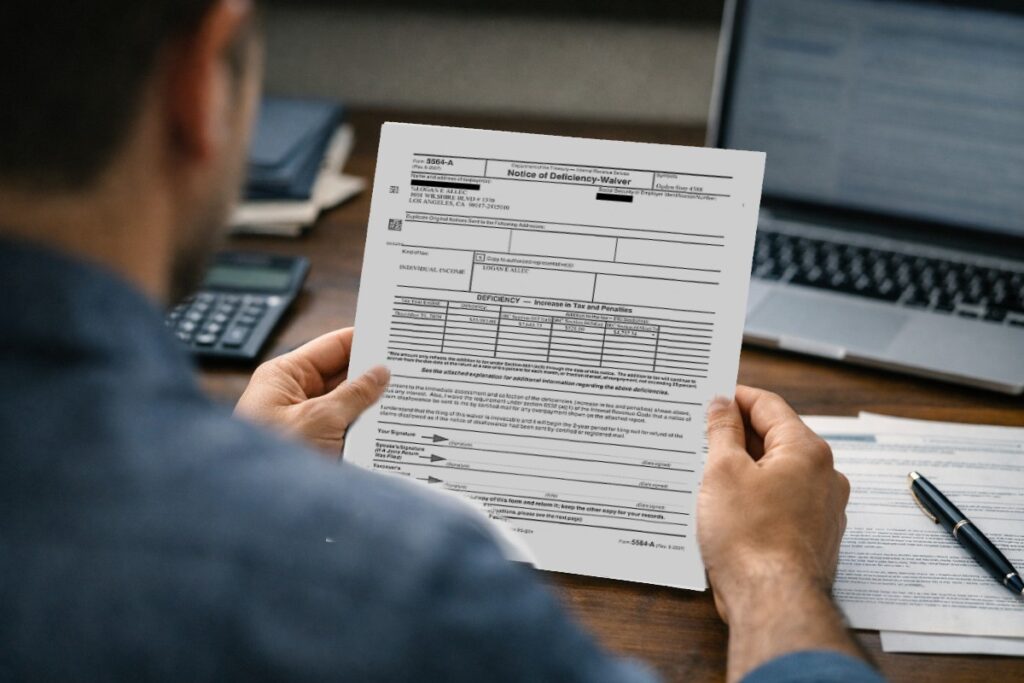
Form 5564 is officially titled the Notice of Deficiency Waiver. It is included with the CP3219A – the Statutory Notice of Deficiency that the IRS issues when a CP2000 goes unanswered or when the IRS and taxpayer cannot reach agreement through the CP2000 correspondence process. Form 5564 at that stage is a legal document: signing it waives your right to petition the United States Tax Court and consents to the immediate assessment of the proposed additional tax.
The response form attached to a CP2000 notice is a different document. It is not officially named Form 5564, though some sources use that term loosely to refer to the CP2000 response form as well because the two documents serve a related function – both communicate the taxpayer’s position on a proposed IRS adjustment. The CP2000 response form is typically an unnumbered attachment to the CP2000 itself, formatted specifically for the automated underreporter context.
Regardless of which document you are working with, the practical questions are the same: what does each section require, when should you sign, and what are the consequences of signing.
The CP2000 Response Form: Purpose and Structure
The response form attached to a CP2000 notice is included to allow you to formally communicate your agreement or disagreement with the proposed changes before the matter escalates. It typically contains the following components:
Taxpayer Identification Section
The top portion of the form identifies the taxpayer by name, Social Security number (or EIN for business filers), tax year, and notice number. This information is pre-printed on most CP2000 response forms. Verify that all pre-printed information is accurate. If your Social Security number, name, or the tax year shown is incorrect, note the error in writing and contact the IRS at the number on the notice before submitting your response.
Agreement Checkbox
The agreement section asks whether you agree with all of the proposed changes in the notice. Checking the agreement box indicates that you accept the proposed additional tax, interest, and any proposed penalty as correct. This triggers formal assessment of those amounts after the IRS processes your response. Once you agree and the IRS processes the form, the tax is assessed and becomes an official liability on your account.
Only check the agreement box if you have reviewed the proposed figures carefully and confirmed that they accurately reflect an underreported amount. Do not check this box as a matter of convenience if you have not thoroughly reviewed the underlying discrepancies.
Disagreement Checkbox
The disagreement section indicates that you contest some or all of the proposed changes. Checking this box signals to the IRS that you are disputing items and have documentation or explanation to support your position. The IRS will route your response to an AUR examiner for review of the evidence you submit with the form.
Disagreement alone is not sufficient. You must attach a written explanation identifying each disputed item, stating your position, and referencing supporting documentation. An unsigned form or a disagreement box checked without any accompanying explanation or documentation is unlikely to produce a favorable result.
Partial Agreement
Some CP2000 response forms include a partial agreement option. If your form does not explicitly provide this checkbox, you can still communicate a partial agreement: check the disagreement box (not the agreement box), submit payment for the portion you accept if you choose to, and clearly explain in your written response which items you are agreeing with and which you are disputing.
A partial agreement submitted under the disagreement checkbox is valid and will be processed as such. The IRS will assess the agreed items and separately review the disputed ones.
Signature Block
The signature block requires your signature and the date. On a jointly filed return, both spouses must sign. The signature certifies that your response is accurate and complete to the best of your knowledge. An unsigned response form is not valid and will not be processed.
If you are submitting the response through an authorized representative under a Form 2848 Power of Attorney, confirm with your representative whether they will sign on your behalf or whether you need to provide your own signature on the form. Practice varies by engagement type.
Payment Voucher
If you agree with the proposed changes, the CP2000 typically includes a payment voucher attached to or near the response form. The voucher identifies the tax year, the amount due, and the payment mailing address. If paying by check, use the voucher – do not send payment to the general CP2000 response address without it. Write your Social Security number, tax year, and “CP2000” on the memo line of any check.
If you are agreeing but cannot pay in full, you can still submit the signed response form. Indicate on the response that you cannot pay the full balance and plan to request an installment agreement. You can submit Form 9465 (Installment Agreement Request) with your response or apply online through your IRS account once the assessment is processed.
Form 5564 in the Context of the CP3219A
If your CP2000 went unanswered or the IRS did not accept your response, you may receive a CP3219A (Statutory Notice of Deficiency) instead. The CP3219A includes the formal Form 5564 waiver. This is a different document with significantly higher stakes.
Form 5564 included with the CP3219A operates as follows:
- Signing and returning it waives your right to petition the United States Tax Court for the tax year(s) covered by the notice
- The IRS will assess the proposed additional tax immediately upon receiving the signed waiver, rather than waiting for the 90-day Tax Court petition window to expire
- Once signed and processed, the assessment is final – you cannot reverse it by later filing a Tax Court petition for the same matter
Signing Form 5564 in the CP3219A context is appropriate only if you have reviewed the proposed changes and are satisfied that they are correct, and you want to accelerate the resolution so you can begin arranging payment. Do not sign it under time pressure, as a default response, or without fully understanding what you are waiving.
Common Misunderstandings About the CP2000 Response Form
Misunderstanding 1: The Response Form Is the Entire Response
The response form is one component of your response package, not the whole thing. For any disputed items, the form must be accompanied by a written explanation addressing each item and copies of all supporting documentation. Submitting only the form with the disagreement box checked – without explanation or documentation – gives the IRS nothing to review and typically results in the proposed changes being maintained.
Misunderstanding 2: Checking Disagree Means No Further Action Is Required
Checking the disagreement box initiates the review process, but your supporting documentation is what determines the outcome. The IRS will assign an examiner to review what you submit. If you submit nothing substantive, the examiner has nothing to rule in your favor on. The disagreement checkbox is the opening, not the argument itself.
Misunderstanding 3: You Must Agree With the Entire Notice or Disagree With All of It
Partial agreement is entirely valid. You can agree with some proposed changes and dispute others, and the IRS will process each separately. This is a common and appropriate response when a notice covers multiple discrepancies of varying accuracy.
Misunderstanding 4: The CP2000 Response Form and Form 5564 Are the Same Thing
As explained above, these are two related but distinct documents. The CP2000 response form is an administrative instrument for the correspondence phase of the AUR process. Form 5564 is a legal waiver of Tax Court rights that accompanies the CP3219A. The consequences of signing each are very different.
Misunderstanding 5: You Can Amend the Pre-Printed Figures on the Response Form
The response form pre-prints the IRS proposed figures. You are not expected to alter those figures on the form itself – the form records the IRS position. Your disagreement with those figures is communicated through the written explanation and documentation you attach. If the form includes a calculation worksheet for you to complete showing a revised proposed tax based on items you agree with, complete that section – but do not alter the pre-printed IRS figures themselves.
When Not to Sign the CP2000 Response Form Agreement Section
Do not sign the agreement section of the CP2000 response form if:
- You have not compared the IRS proposed figures against your original return and the source 1099 or W-2 documents
- You believe any item in the notice may be incorrect or may qualify for an exclusion you have not yet investigated
- You are still gathering documentation that might support a dispute
- You are waiting for a corrected Form 1099 from a payer who reported an incorrect figure
- You have not consulted with a tax professional and the proposed balance is large enough to warrant professional review
Signing the agreement is appropriate only after you have confirmed, with documentation in hand, that the IRS is correct. It can always be done later – within the 60-day window – once your review is complete.
Summary
The CP2000 response form is the formal mechanism for communicating your position to the IRS during the automated underreporter correspondence phase. It includes an agreement/disagreement section, a signature block, and typically a payment voucher. Form 5564 is a related but distinct legal document included with the CP3219A (Notice of Deficiency) that waives Tax Court rights – signing it has materially greater legal consequences than checking the agreement box on a CP2000 response form. Understand which document you are working with and what signing each one means before you proceed. Check IRS Notices Explained for insights into a wider range of IRS notices.
Return to Hub:
Visit the Forms and Documents hub for more practical guidance on Form 5564 and related response materials.
The information provided on this website is for general informational purposes only and does not constitute legal or tax advice. CP2000response.com is not affiliated with the IRS, any law firm, or government agency.