Can You Upload a CP2000 Response Online?
By CP2000Response Editorial Team | Reviewed for legal context by David McNickel
Yes – for most CP2000 notices, the IRS provides a direct online upload option, and it’s the fastest way to respond.
Your notice includes an access code tied specifically to your account, and you can use it to upload your response as a JPG, PNG, or PDF through a secure IRS link.
This article explains how that upload option works, when fax or mail might apply instead, what the general IRS online account can and can’t do, and how to keep a record of your submission regardless of which method you use.
Uploading Your Response: The Fastest Option
If your CP2000 notice includes an access code, uploading is the option the IRS itself describes as the quickest way to submit your reply – it’s digital, doesn’t depend on postal timing, and avoids the risk of a response being misrouted to the wrong campus.
To use it:
- Find your access code. It’s printed on your notice and is specific to your account — codes follow a format like
895ny-k9654. Don’t reuse a code from a different notice or assume a generic entry point exists; the code is what ties your upload to your case. - Prepare your files. You can upload photos or scans of your response and supporting documents as JPG, PNG, or PDF files. A clear phone photo of a signed form works, as does a scanned document, as long as the image is legible.
- Upload your CP2000 by the specific IRS Upload Portal here.
If Your Notice Doesn’t Include an Access Code
Not every version of the CP2000 may include this option – access codes and upload availability can vary by notice. If your notice doesn’t show one, don’t assume you can access the same upload feature through a general IRS.gov login; follow whichever methods (fax or mail) are actually listed on your notice instead.
Fax: Available When a Number Is Listed on Your Notice
Faxing remains a second valid option, and many CP2000 notices list a dedicated fax number for the campus handling your account, printed on the top left side of the notice. Commonly used numbers include:
- Andover, MA – 877-477-9485
- Atlanta, GA – 877-477-0967
- Austin, TX – 877-477-0583
- Holtsville, NY – 877-477-9599
- Fresno, CA – 877-477-0962
- Ogden, UT – 877-477-9640
- Philadelphia, PA – 877-477-9602
Use the number for your specific notice rather than one pulled from a general list – sending your fax to the wrong campus can cause the same delay as a misdirected mail response.
Mail: Still an Option, to the Address on Your Notice
If you’d rather mail your response, or your notice doesn’t offer upload or fax, send it to the address printed in the top left corner of the first page of your notice – that’s the only location the notice specifies for the mailing address.
Deadlines for mailed responses are often measured from the postmark date, so USPS certified mail with return receipt requested can be a useful way to document your mailing date if that timing matters for your case. It generates a tracking number, a signed return receipt once the IRS receives it, and a postmark on your receipt as your own record. Certain private carrier services (specific FedEx or UPS tiers, for example) have historically been accepted as equivalent to a postmark – check IRS.gov for the current list before relying on this, and note that private carriers generally can’t deliver to P.O. box addresses.
Phone: Useful for Questions, Not a Way to Respond
Calling the number on your notice can help with requesting an extension, asking about specific items, or confirming a response was received. A phone call isn’t a substitute for submitting your actual response – whether by upload, fax, or mail – since verbal statements aren’t the same as a signed, documented reply. If you do call, noting the representative’s name, employee ID, and the date and substance of the call is a reasonable way to keep your own record.
Summary
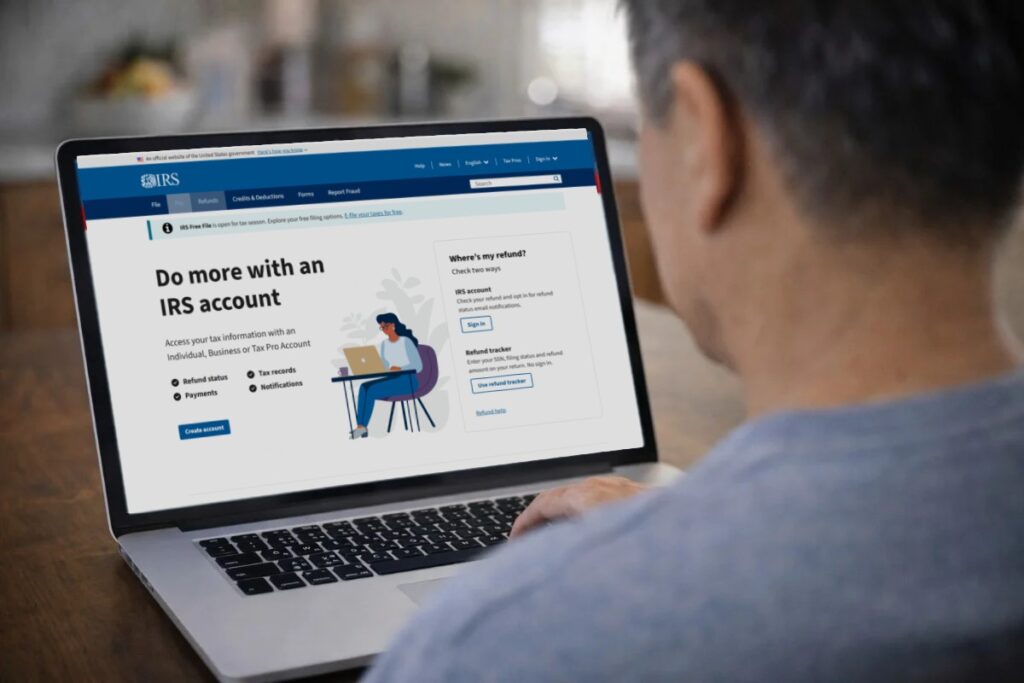
If your CP2000 notice includes an access code, uploading your response online as a JPG, PNG, or PDF, is the fastest and most direct option the IRS provides. For those who still have access to the technology, fax is available where your notice lists a campus fax number, and mail remains an option using the address in the top left corner of your notice. Your general IRS.gov online account handles payments and transcript viewing but isn’t the place to submit your actual CP2000 response as that goes through the access-code upload path, fax, or mail, exactly as specified on your notice.
Return to Hub: Explore more CP2000 document and submission topics in the Forms and Documents section.
The information provided on this website is for general informational purposes only and does not constitute legal or tax advice. CP2000response.com is not affiliated with the IRS, any law firm, or government agency.