
CP2000 for Missing W-2 or 1099
By CP2000Response Editorial Team | Reviewed for legal context by David McNickel
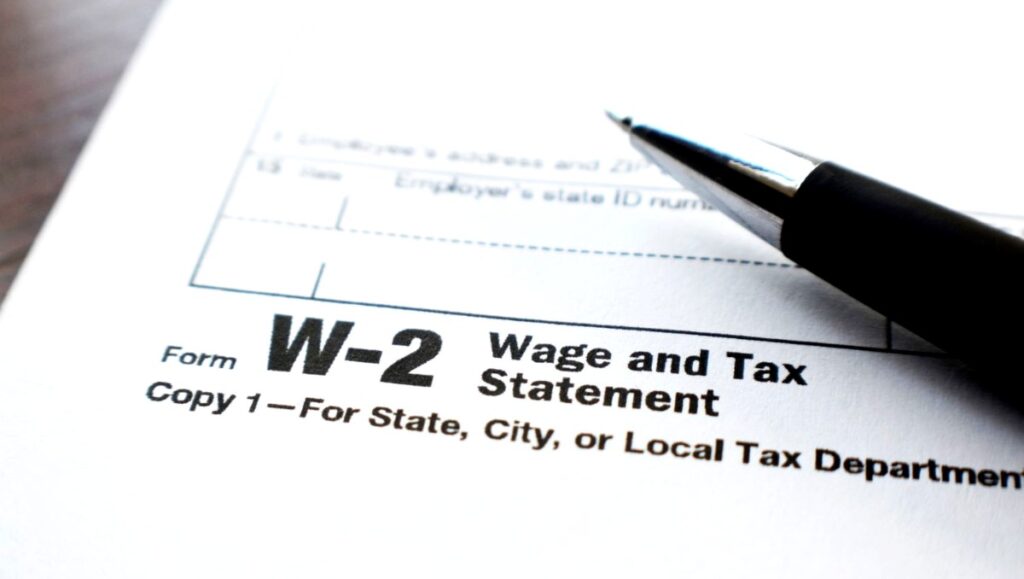
One of the most direct triggers for a CP2000 notice is a W-2 or 1099 that the IRS has on file from a payer but that does not appear anywhere on your tax return. This situation arises more commonly than most taxpayers expect: forms arrive late in the mail, are misplaced, are overlooked during return preparation, or are not recognized as tax-reportable.
Whatever the reason for the gap, the response process is the same: determine whether the income is taxable, verify whether the form’s figures are accurate, and respond accordingly. Check the section hub for a full range of different response scenarios.
Why a Missing Form Triggers a CP2000
Every W-2, 1099-NEC, 1099-INT, 1099-DIV, 1099-B, 1099-R, and similar form filed with the IRS creates a record that is compared against your return. When the IRS system finds a form with your Social Security number attached but no corresponding entry on your return, it generates a CP2000 proposing to add that income to your taxable total and calculate the additional tax.
The most common scenarios include:
- A part-time or seasonal W-2 from a second employer that was not included on the return
- A 1099-NEC from a client for freelance work done late in the year, received after the return was filed
- A 1099-INT from a bank account with a small interest balance that was overlooked
- A 1099-R from a retirement account distribution that was not reported
- A 1099-DIV from a dividend reinvestment plan (DRIP) that the taxpayer did not realize generated taxable income
- A 1099-K from a payment platform that was not recognized as requiring tax reporting
Step 1: Locate the Missing Form
Start by locating or obtaining a copy of the form referenced in the CP2000. If you received the form and have it on file, pull it and compare the figures against the notice. If you did not receive the form or cannot locate it, you have several options:
- Request the form directly from the payer – employers and financial institutions are required to provide copies
- Access a wage and income transcript from the IRS through your online account at IRS.gov or by filing Form 4506-T – these transcripts show all information returns the IRS has received under your Social Security number
- Request the specific form information from the IRS AUR unit at the phone number on the notice
Step 2: Verify the Form’s Accuracy
Once you have the form, verify that:
- The Social Security number on the form is correct – a form filed with a wrong SSN may be attributed to you in error
- The amount on the form matches what you actually received – payers sometimes report incorrect amounts or report amounts that include reimbursements, returns, or items that are not income
- The form has not been superseded by a corrected version – check with the payer if there is any uncertainty
If the form contains an error, contact the payer immediately and request a corrected form. Include the corrected form in your CP2000 response as the primary exhibit.
Step 3: Determine Whether the Income Is Taxable
Not all amounts appearing on information returns are fully taxable:
- Distributions from retirement accounts may be partially or fully non-taxable based on your contribution history (see Form 8606 for IRA basis)
- Gross proceeds on a 1099-B or 1099-K may exceed the taxable gain once cost basis is applied
- Cancelled debt reported on a 1099-C may be excludable under the insolvency rules
- Interest or dividends in a tax-exempt account (such as a Roth IRA) may not be taxable even if shown on a form
If any exclusion or basis adjustment reduces the taxable amount, document it and submit a disagreement or partial agreement response with the relevant evidence.
Step 4: Contact the Employer if a W-2 Is Missing
If the CP2000 references a W-2 that you did not receive and cannot obtain from the employer:
- Contact the employer’s payroll department and request the W-2 directly
- If the employer cannot be reached or is out of business, contact the IRS at 1-800-829-1040 and request that the IRS send a substitute W-2 based on the records in its system
- You can also file your response using the wage and income transcript data as a substitute, though working from actual forms is preferable
In cases where an employer filed a W-2 with the IRS but never delivered it to the employee, the income is still real and reportable – the failure to receive the form does not eliminate the tax obligation.
Step 5: Respond Based on Your Findings
If the Income Was Correctly Omitted or Is Excluded
Disagree with the proposed adjustment. Attach documentation explaining the exclusion or the error in the payer’s reporting. Reference the corrected form if applicable.
If the Income Was Genuinely Not Reported and Is Taxable
Agree with the proposed adjustment. Submit the signed response form with the agreement box checked. Arrange payment of the proposed balance or request an installment agreement.
If the Income Was Partially Taxable
Submit a partial agreement. Accept the taxable portion with documentation establishing why the remainder is excluded.
For a step-by-step guide to the response process, see our article on CP2000 response steps. For guidance on what supporting documents to attach, see our supporting documents guide.
Summary
A CP2000 for a missing W-2 or 1099 requires locating the form, verifying its accuracy, determining whether the income is fully taxable, and responding with agreement, disagreement, or partial agreement based on the facts. If the form was never received, obtain it from the payer or through an IRS wage and income transcript. If the form contains an error, request a corrected version and include it as your primary exhibit. If the income was genuinely omitted and is taxable, an agreement response with payment arrangement is the appropriate path. Check here for more information on filing back taxes without W-2 forms,
Return to Hub:
Read more real-world CP2000 examples involving W-2s, 1099s, and third-party reporting discrepancies.
The information provided on this website is for general informational purposes only and does not constitute legal or tax advice. CP2000response.com is not affiliated with the IRS, any law firm, or government agency.